Auto Europe




Everything you’ll need to know on how to cancel or modify your car hire booking
 We take pride in providing the very best customer experience before, during and after your car hire reservation. Due to this, it is important for us to be able to provide you with the necessary tools to modify or cancel your booking should the need arise. Auto Europe has one of the very best cancellation policies in the industry. It has been designed to protect our customers as much as possible, and to be easy to process.
FAQ’s regarding cancelling and modifying a car hire booking
If you have booking with Auto Europe and for some unexpected reason need to cancel or modify your booking – then we have you covered. With all the necessary tools in place to help for an easy cancellation, or modification of your reservation – the whole process is easier than many would expect. There can be numerous reasons for needing to make alterations to your car hire booking, but sometimes just a change of mind will suffice.
I placed a booking via Auto Europe but have now decided I’d like to alter the rental car supplier, the date or vehicle type. What can I do?
All bookings made through Auto Europe comes with a free-of-charge cancellation policy if undertaken 48-hours before the commencement of the rental. This applies to both cancelling and modifying the booking and can be actioned either online in the members account section or by phone with a reservation agent. A valid example would be - A booking for Amsterdam Schiphol Airport at 09:00 on Friday can be modified or cancelled by no later than 08:59 on Wednesday, without the need to pay a fee. If you make the change within the 48-hours, you will be charged a fee.
Modifications can include date changes, supplier changes, car category changes, pick-up and drop-off location changes and even changing the primary driver. This is easily done on the member account section of our website, in just a few simply clicks, you can modify or cancel the booking yourself without the need to contact us. Alternatively, if you’d like to speak with us directly to action a modification or cancellation of your existing booking, you can reach us by phone. Our reservation agents will be more than happy to help you modify or cancel your car hire booking with us.
Important to note that although the modification and cancellation of a booking within the 48-hours before commencement of rental is free-of-charge – if cancelling, any new bookings will be subject to live price fluctuations. This means that any amendments which require the cancellation of the booking or cancelling the booking itself, to rebook may cost you a little more, or a little less than the original rate.
Are there any fees payable when cancelling or modifying the booking via Auto Europe?
No - Auto Europe does not charge a fee for modifying or cancelling a reservation as long as it is done within 48-hours before the start of the rental. However, if you modify this may require you to accept a new rental rate which may be slightly higher or lower than the original rate. This is because our rental rates are live and fluctuate in accordance with our suppliers pricing. It is therefore important for you to check the rate on our website before cancelling or modifying your booking, so as to be aware of any rate changes. Live rates change daily or even hourly so it is important to realise that you may be charged the difference in the rental rate to the original rate. This means that you’ll either be charged or refunded the difference, if applicable.
Can I cancel or modify my car hire reservation online?
Yes – it is simple to cancel and modify your reservation online within your member account section. This is only available if done within 72-hours before commencement of rental. If you try to modify or cancel within 48-72 hours before commencement of booking, then this can only be done by one of our reservation agents. This means that you cannot do it online and must instead call us.
The procedure for cancelling or modifying your reservation online is very simple. Firstly, you input the primary drivers name and the voucher number. Once you have accessed your booking, you can then view all the available options in order to cancel or modify the reservation. Furthermore, here you can also view all the car hire voucher’s terms and conditions.
Following is a step-by-step account of how to cancel or modify your booking online.
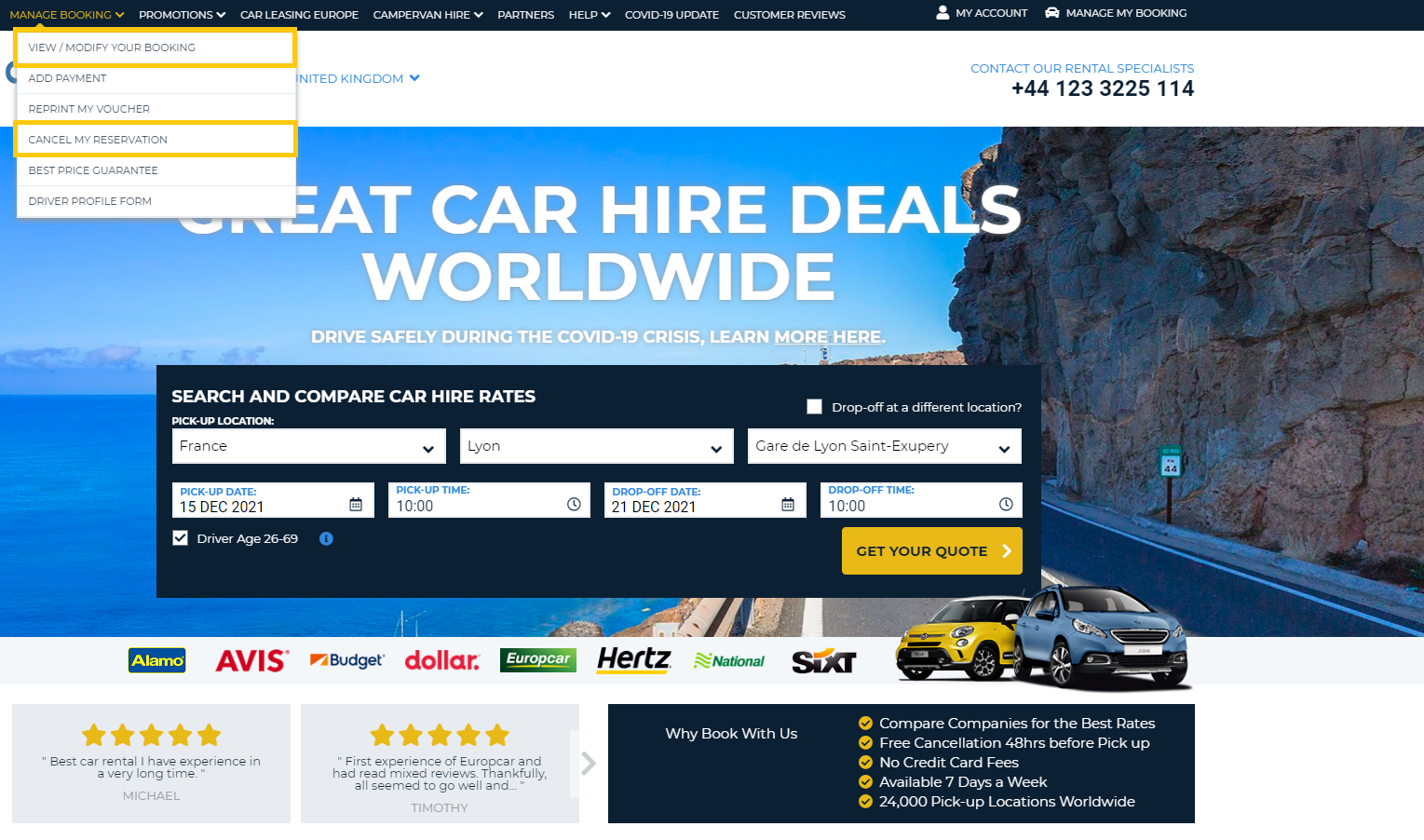
Step 1 - Access your online booking on the Auto Europe website by selecting “View/Modify Booking” or “Cancel my booking”. Both of which can be found under “My booking” located on the website’s black navigation bar.
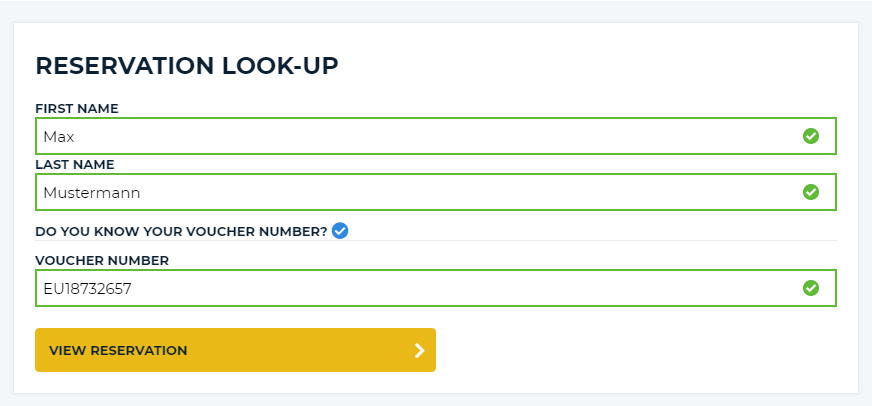
Step 2 - Using the form provided, enter the primary drivers first and last name, along with the voucher number. This can be found on the car hire voucher that was emailed to you in confirmation of your booking. The number normally starts with two letters and is followed by eight numbers. For example, EU13247854. If you do not know your voucher number, you can instead enter the pick-up date and email addressed used when making the booking.
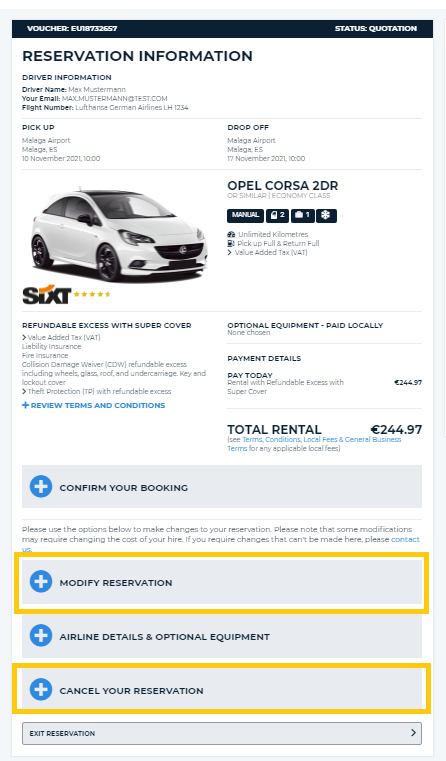
Step 3 - If successful you will then be presented with the full details of your reservation and a list of options available to either modify or cancel your booking.
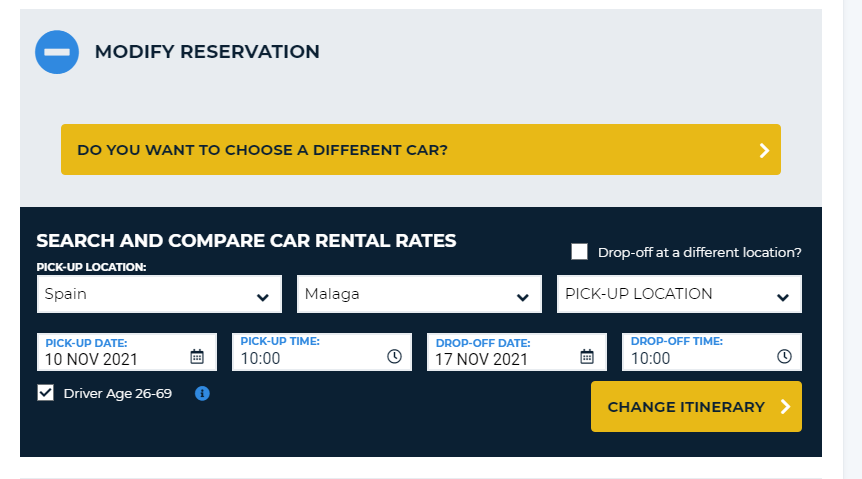
By selecting the “View/Modify Reservation” – this will allow you to change the car category, the locations, the dates and the pick-up and drop-off times.
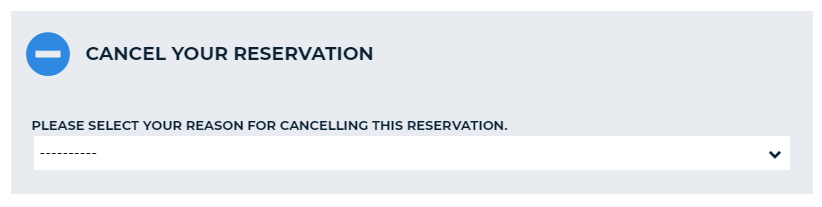
By selecting the “Cancel my booking” – this will allow you to cancel the current reservation. You must enter a reason for the cancellation and then confirm the action. When successful you will receive a cancellation confirmation email and the money will be refunded accordingly. The email will be sent to the email account used to make the original booking, and the money will be refunded onto the same payment method.
How can I contact Auto Europe to cancel or modify my car hire booking?
Can I protect myself against unexpected cancellations due to any unforeseen events?
Yes – we highly recommend taking out our Fully Flexible Cancellation during your booking. For a small fee you will be protected against of the unexpected events cited in the terms and conditions of the product. To benefit from this, simple click on the relevant box to add this protection to your rental. Having this added protection will give you extra peace-of-mind and security during your car hire with us.
How can I add the “Fully Flexible Cancellation” to my car hire booking?
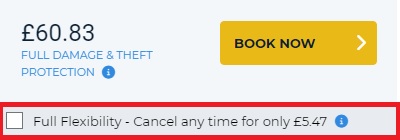 It is extremely easy to add our popular “Fully Flexible Cancellation” to the Auto Europe booking online and can be done at the beginning of the reservation process. Once you have entered all the relevant details into the online search engine – dates, locations, times – and then selected your supplier, you’ll see a box containing the details of this product and the associated cost. Alternatively, if you are placing your booking with an agent by phone, you may request that this product be added to your car hire reservation at any stage during the booking process.
- Home
- Travel Tips
- Modify or Cancel a Reservation